Mobility you can measure.
Limber takes a reading of your mobility, cuts a datum, and draws the line where it actually falls. Weeks later you shoot the line again and see what moved.
The product is the distance between the first reading and the last.
Your datum is cut once, from your first survey, and drawn in stone across every chart afterwards. Everything you do later is measured from it. Drag the handle and watch the ground rise off the stone.
Drag from the datum to today. The fifth group was never measured, so it stays dashed the whole way — the app does not fill in ground it has not walked.
Datum
41
Cut 3 July
Today
70
Read 28 July
The line moved
+29
Points, since the datum
Surveyed
4 of 5
Areas. The fifth is drawn unsurveyed
An example survey. The two ends are the real numbers in the captures below — a datum of 41 on 3 July, a reading of 70 on 28 July, and an ankle that went from 45 to 74. The three other groups at the datum end are an example, and this sentence is here so you never have to guess which is which.
Four steps, and the fourth is the one nobody else does.
The drawing stays with you while the four steps walk past it, and it redraws at every one. Scroll back up and it un-draws: what you are watching is the survey at the scroll position you are standing on, nothing else.
-
01
Take a reading
Five guided self-tests — toe touch, knee-to-wall, shoulder reach, hip flexor, deep squat. The figure shows the setup, the count holds you there, and you record what you actually reached.
-
02
Do tonight's session
One short routine, built from the readings you just took. It leads with the area sitting below your surveyed average and says so — the reasons are on the card, not behind it.
-
03
Re-test
The same battery, the same protocol, on the cadence you set. Two of the tests are read in centimetres against a wall, so the number is measured rather than felt.
-
04
Read what moved
The line is redrawn over the datum. Ground you have not tested stays dashed and is counted untested — the app will not fill in a survey it did not walk.
One survey drawn twice: a datum of 41 cut on 3 July and a reading of 70 on 28 July. The scroll is the distance between them, and SPINE — measured on neither day — stays dashed and open the whole way.
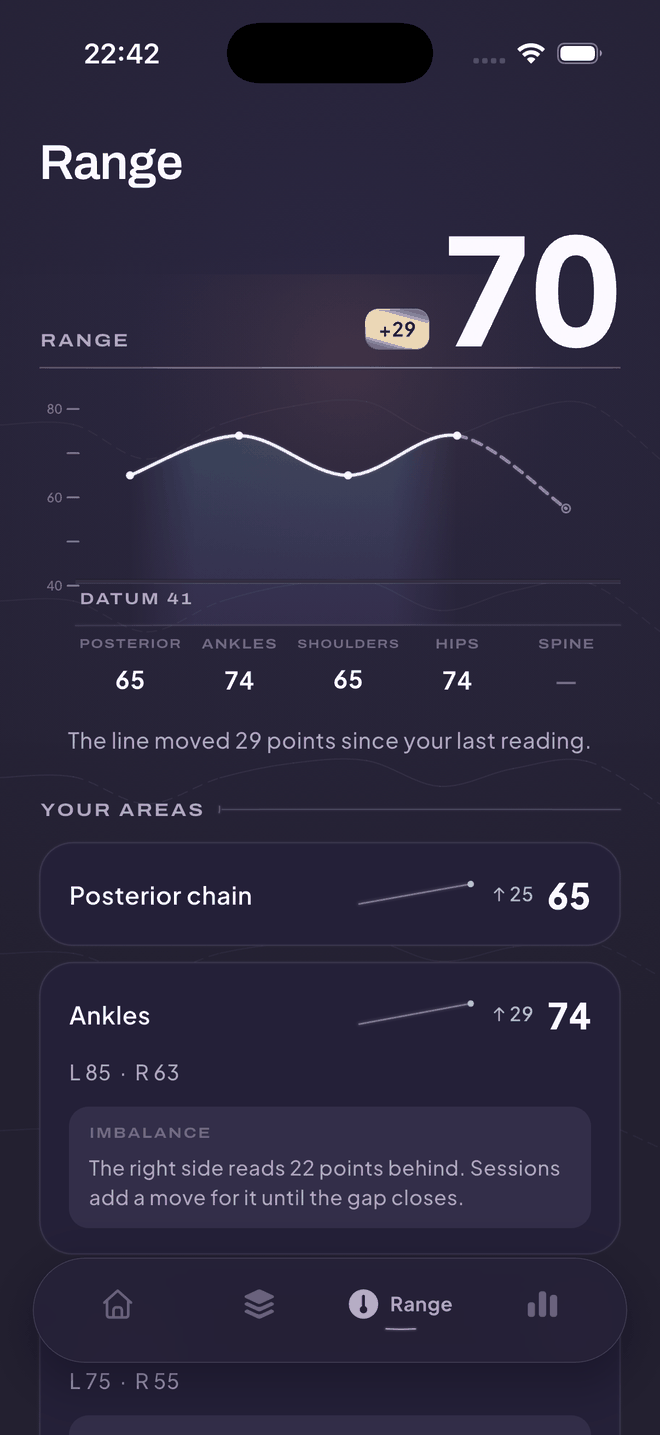
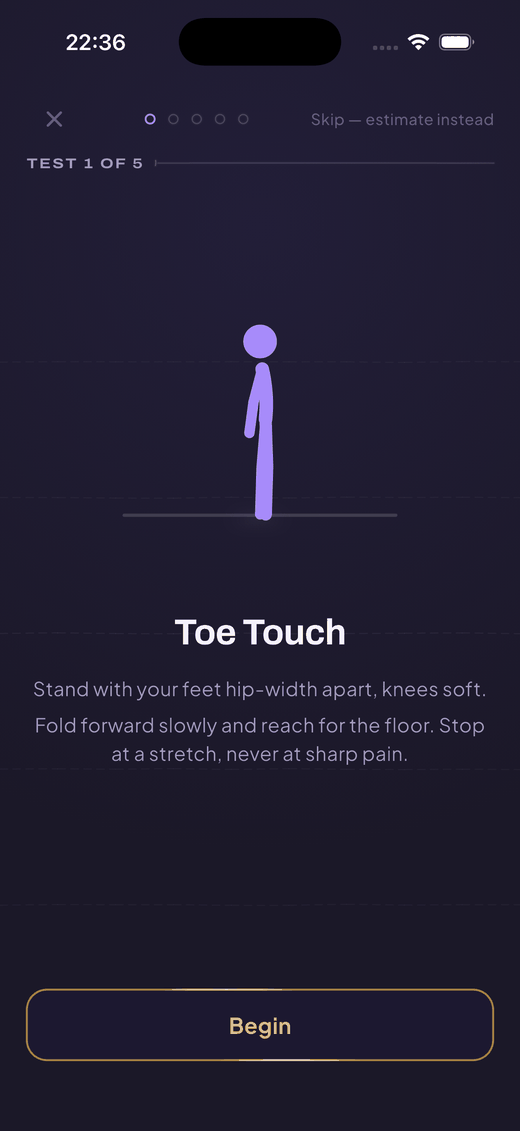
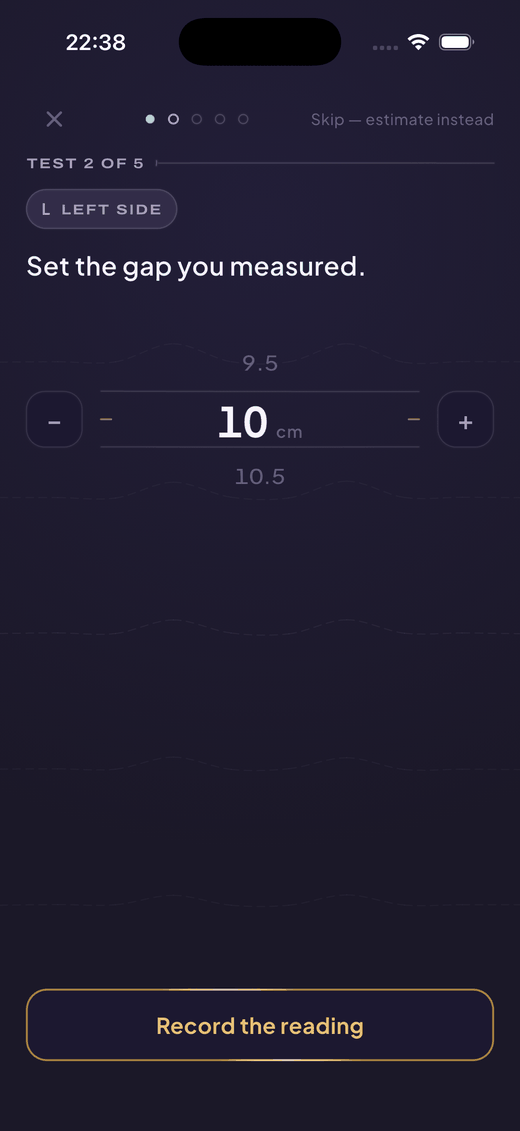
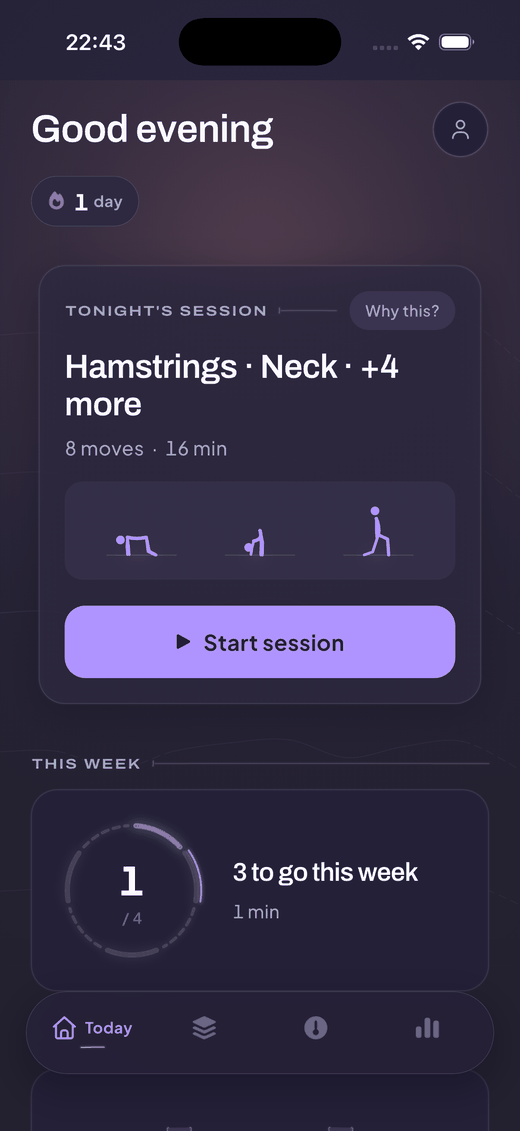
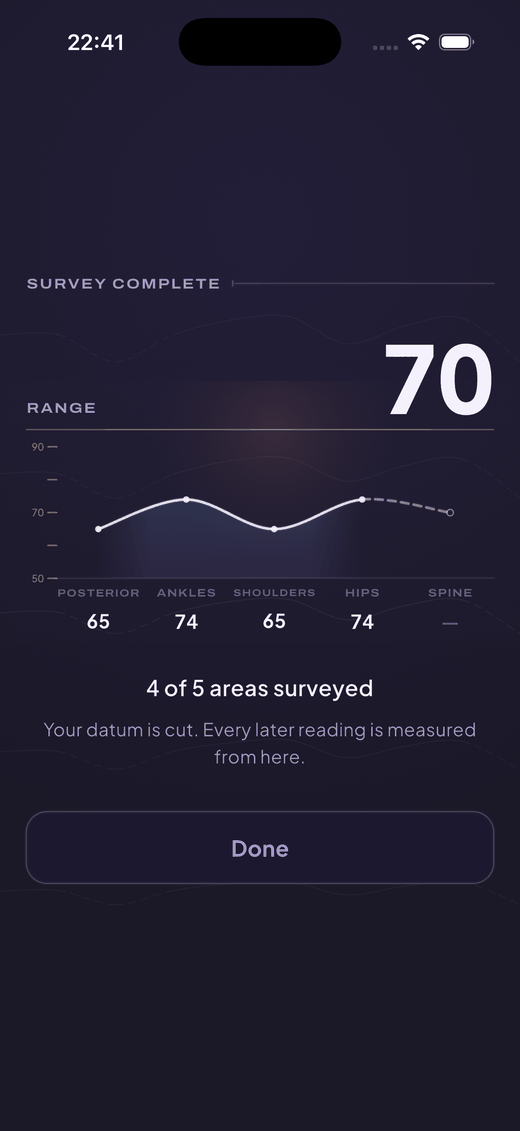
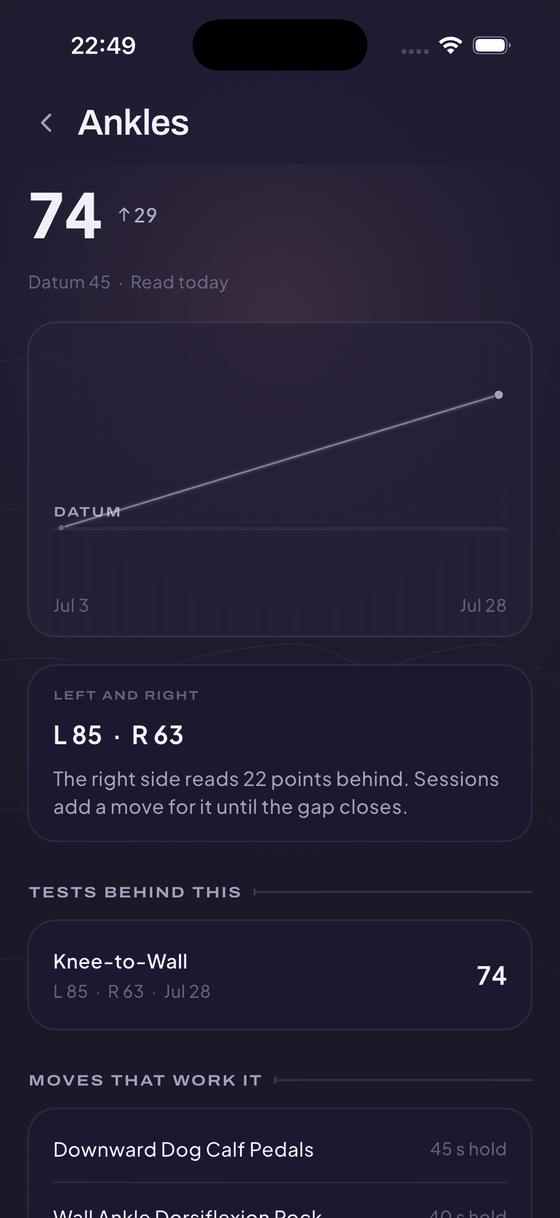
Six unretouched captures from one build, on an iPhone 17 Pro simulator, 28 July 2026. Nothing on this page is a mockup and nothing was staged: the survey behind them was run by hand, test by test, which is why the ankle reading is uneven.
Other mobility apps sell a library. This one sells the reading.
Measured
A ledger, per joint and per side
Every test writes a raw value, a band, a side and a date. The Range Score is a composite of those readings, and you can open any part of it and see the test underneath.
Honestly: you measure yourself, with a wall and a tape. It is repeatable. It is not a clinical assessment.
Answerable
The session follows the readings
Tonight's routine leads with the area sitting below your surveyed average, fits the minutes you asked for, and adds a move to the side that reads lower. Change a reading and the next session changes.
Honestly: it only knows what you have measured. Untested areas are treated as untested, never as average.
Explainable
Every routine states its reasons
A routine opens a numbered list of why each move is in it — which reading, which goal, which minutes. Nothing is chosen behind a curtain.
Honestly: those are deterministic rules running on your phone. There is no AI in this app, and none is planned.
The rest of the map.
Your mobility is the ground. What you have surveyed stays yours, free, forever. Pro is the ground you have not walked yet.
Free, always
- The full mobility test battery
- Your Range Score, and every reading behind it
- Re-tests, as often as you want them
- One session a day, up to 10 minutes
- Your streak and your rhythm
- Your whole record, every session you have done
- Writing your sessions to Health
None of that is a trial and none of it expires. Pro adds ground; it never takes any away.
What Pro opens
- Every day of every track
- Any routine in the library, not just today's
- Sessions past 10 minutes — 15, 20 and 30
- Contract-relax holds, the deeper hold grammar
Four capabilities, four locks. This page lists what the build actually gates today; when more ships, more is listed.
$9.99/mo
Billed monthly.
$49.99/yr
Billed yearly.
$99.99 once
Paid once. Nothing renews.
$49.99/yr · cancel anytime · we remind you before it renews
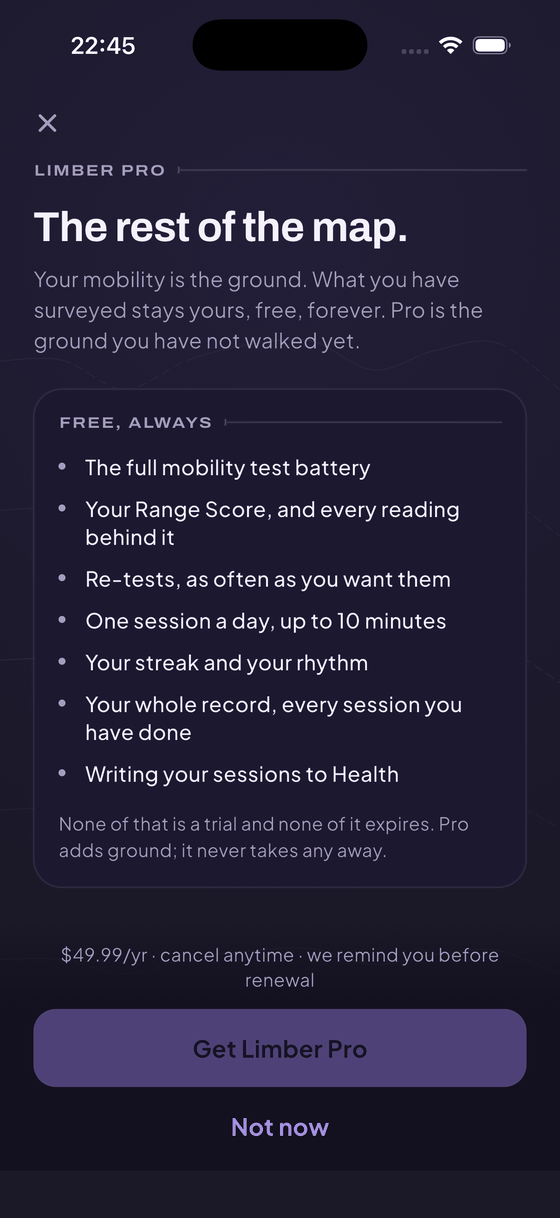
What is not on that screen
No countdown. No limited-time price. No badge telling you which plan to pick. No question asking whether you are sure when you decline. Nothing free that turns into a charge while you are not looking — you pay from the day you subscribe, or you do not subscribe.
We send a reminder before a subscription renews. Cancelling takes about two taps, and you keep Limber Pro until the period you already paid for ends.
Placeholder These prices are placeholders until the store confirms them. The price the store shows is the price you pay.
Safety
Limber supports mobility. It doesn't diagnose or treat.
Mild stretch, four-to-six out of ten. Never sharp pain. Sharp, electric, or numb? Ease out now.
Sharp pain, numbness or tingling, a recent injury, or post-surgery recovery? See a professional first — Limber is for maintenance and mobility, not treatment.
Limber works offline, and your measurements are kept on the phone. Apple Health stays off until you turn it on, and Limber only ever writes to it.
From the same team
Limber is one of a handful of apps built by the same small team in Rīga. Different corners of a life, made the same plain way.